

Smart control for Balboa hot tubs
Run your Balboa hot tub from your iPhone: set the temperature, plan the week, see what heating costs, and get an alert when it's ready or something is wrong. Kraftspa installs inline in minutes and works through the spa's own controls, so the controller's safety systems stay in charge.
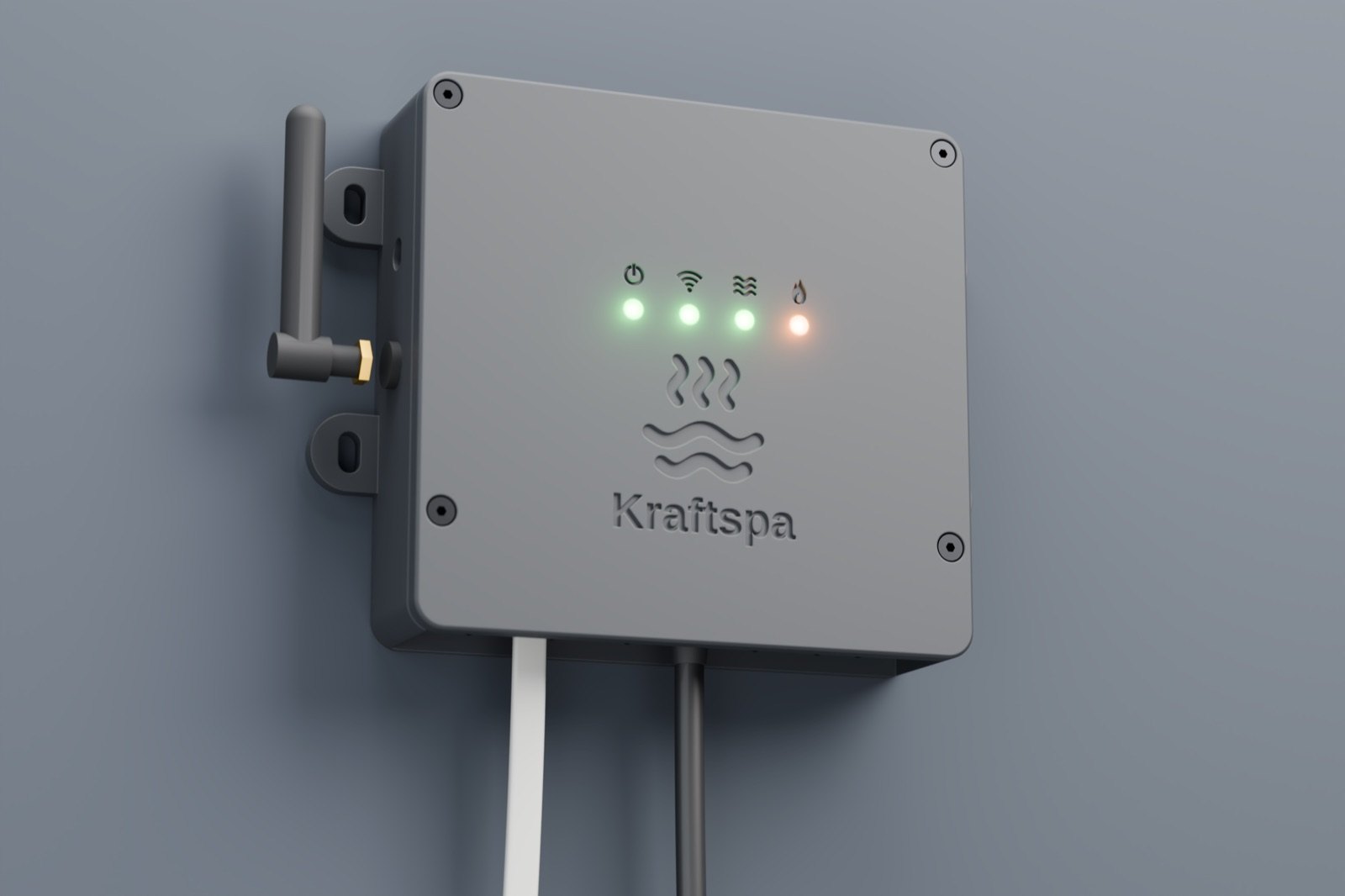
Kraftspa connects inline on the topside panel's cable. Nothing inside the spa pack is opened, rewired or replaced, and the panel keeps working exactly as before.
Every command goes through the spa's own controller, so its temperature limits, timers and protections apply as they do at the panel. If Kraftspa loses power, the tub carries on unaffected.
At home the app talks straight to the controller, and the plan, the panel and Apple Home keep working without the internet. There's no Atemkraft account. Alerts and optional remote access go through Atemkraft's relay, sealed with your phone's own key; updates come from GitHub.
The app
The Tub screen is drawn live: steam rises off the water while it heats, bubbles run when the jets are on, and the Light card takes on the colour you pick.
In this minute the jets go to high, the light changes colour and the set temperature goes up a degree. Then a look at the plan, the heating history and settings, and back to the tub to start a Soak.
The app has the same demo, so you can try it before a Kraftspa is installed.
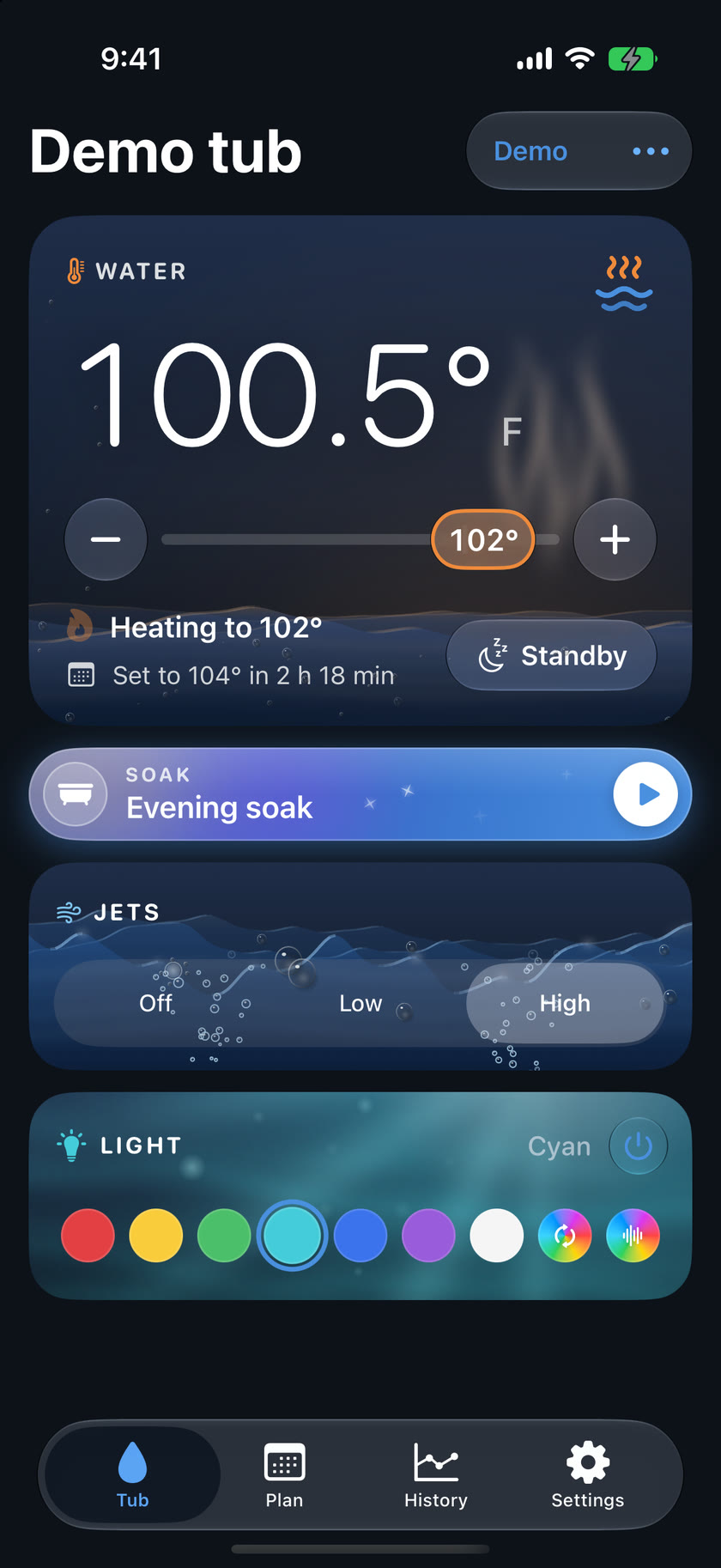
The Tub screen shows the water temperature, whether it's heating and what the plan does next. Set the temperature, turn the jets to low or high, pick a light colour or a saved favourite, and put the tub in standby or bring it back.
Soak gets the tub ready your way in one tap: your temperature, jets and light, under a name you choose.
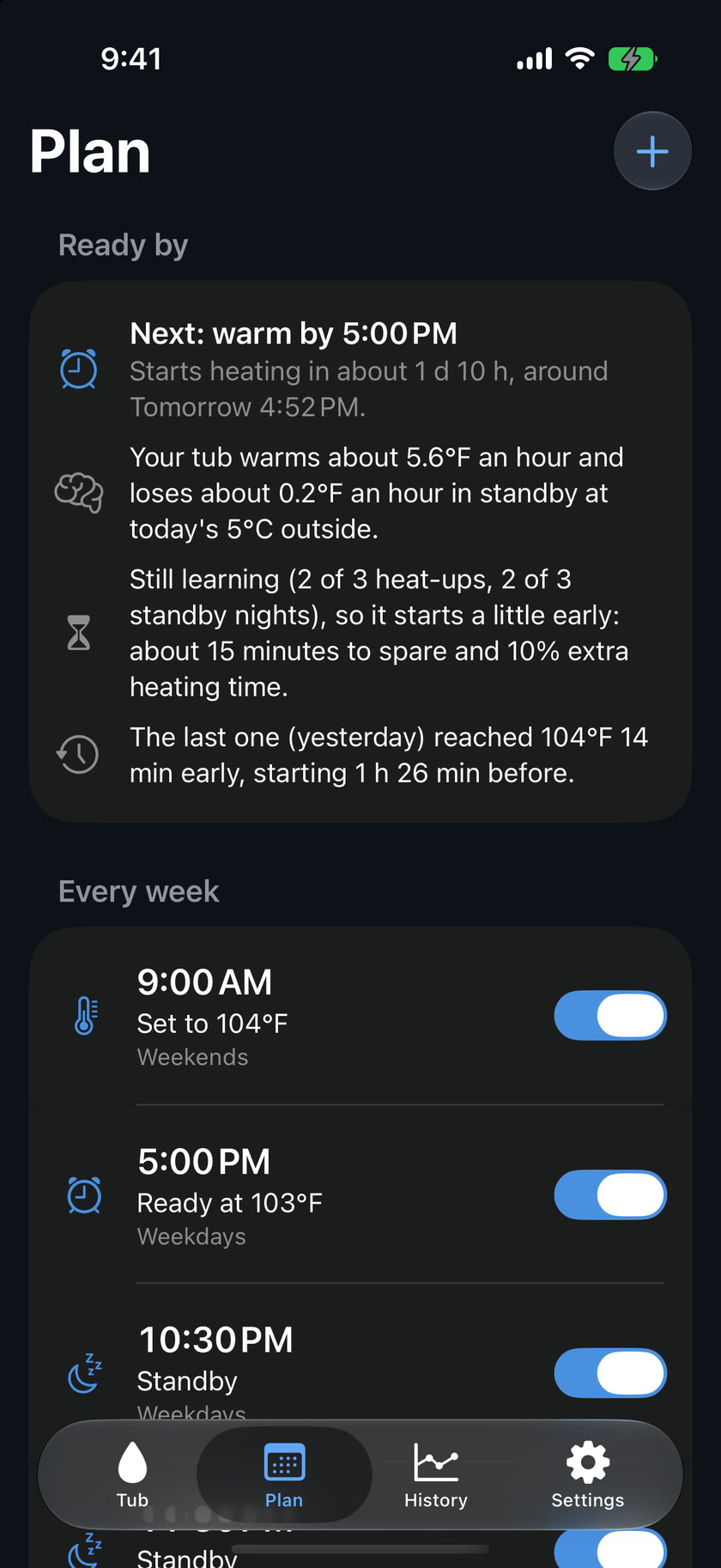
Add actions by day and time: set a temperature, go to standby, or resume. The plan runs on the controller itself, so it carries on with your phone switched off, through power cuts and through updates.
Ready by asks for warm water at a time, and Kraftspa works out when to start. It learns how fast your tub heats and cools, and takes the outdoor temperature into account. Auto-standby puts the tub back to sleep a while after someone uses it outside the plan.
Heat when power is cheap. A covered tub holds its heat for hours, so on a time-of-use plan the schedule can warm it overnight and let it coast through the evening peak, still hot when you get in. On BC Hydro's time-of-day plan that saves a typical tub about $40–50 a year, and more where peak power costs more.
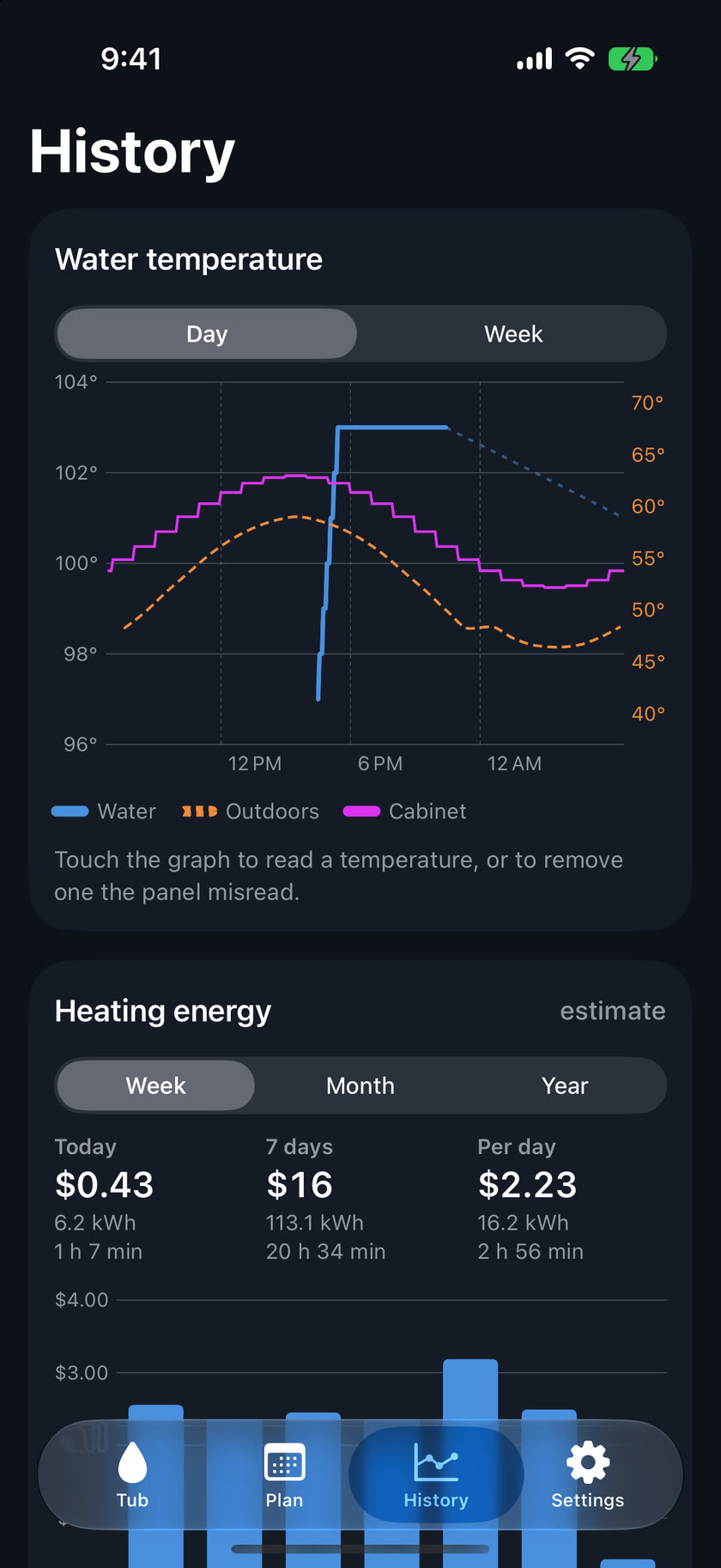
History graphs the water over the last day or week, with the outdoor temperature beside it if you give a postal or ZIP code. Touch the graph to read any moment.
Kraftspa records heater run time hour by hour, for a year. Enter your heater's rating and your electricity prices to see what heating cost today, this week, this month or this year.
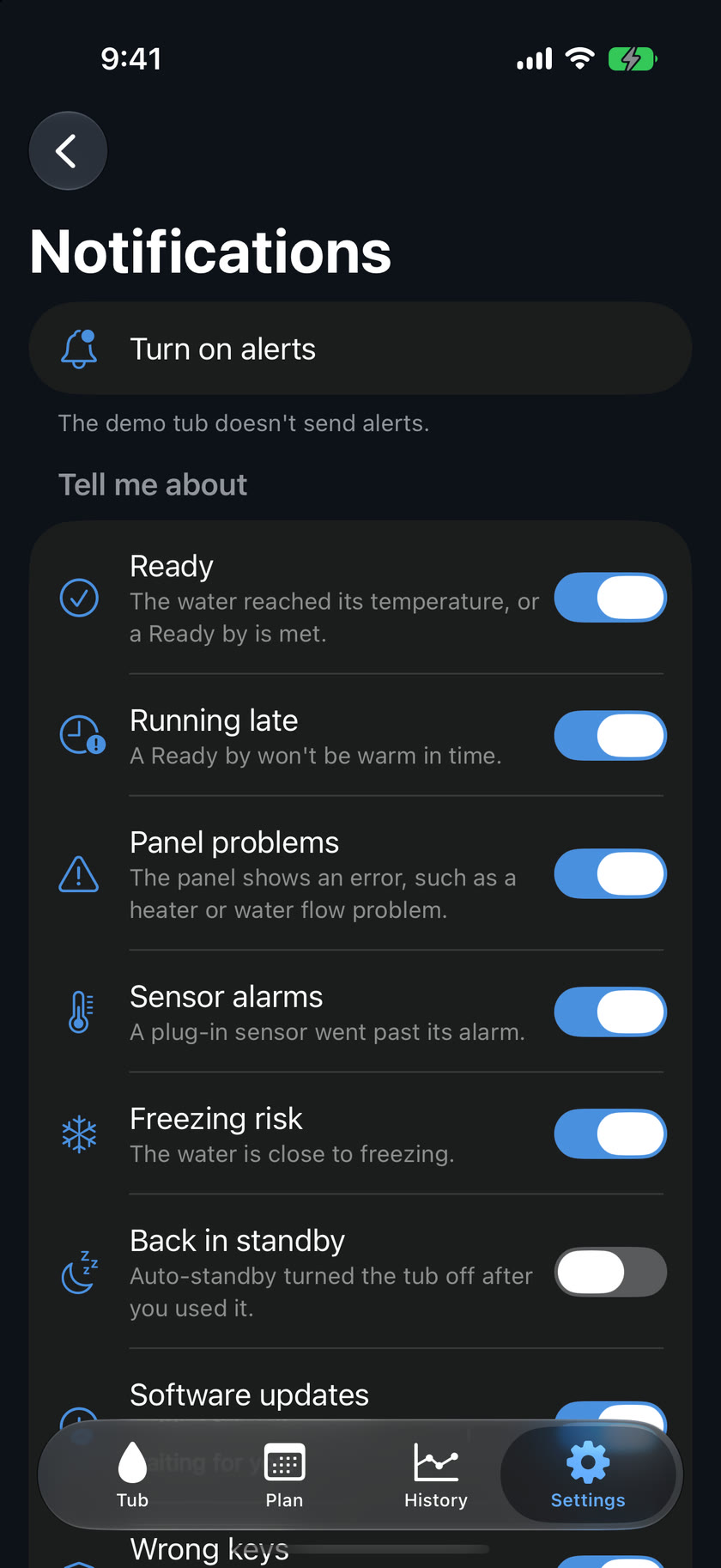
Hear when the water is ready, when a Ready by is running late, when the panel shows a problem such as a heater or water flow error, when the water is close to freezing, and when the tub goes offline. Each iPhone picks its own, and the urgent ones break through Focus.
While the tub heats, a Live Activity on the Lock Screen shows the water temperature and when it will be ready.
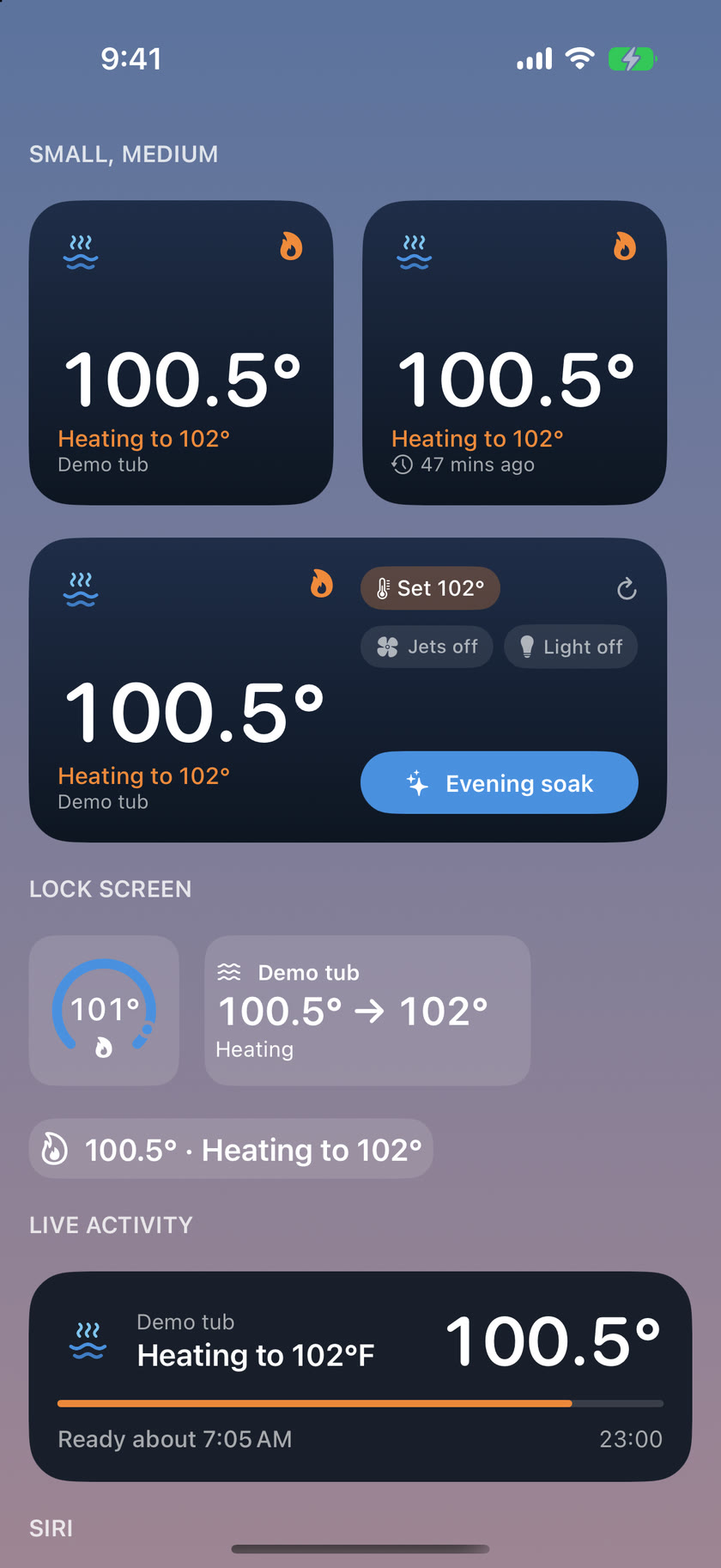
See the water from your Home Screen or Lock Screen without opening the app. Control Center has Jets, Tub Light, Tub Standby and Run Soak.
Ask Siri "How warm is Kraftspa", "Run Soak in Kraftspa" or "Put Kraftspa in standby". The same actions are in the Shortcuts app for your own automations.
The first iPhone to set up the tub is its owner. Invite others from Settings › Household with a six-digit code, to run the tub or only look. Each phone has its own key, and removing one stops it at once.
Power on the spa and choose Set up a new tub. The app joins Kraftspa's own setup network, asks for your home WiFi, and you're done. The controller's own page can do the same from any browser.
Firmware updates come over WiFi and install only when you choose, in Settings › Updates. The full manual is in the app, and built-in diagnostics make support quick if something isn't right.
Remote access
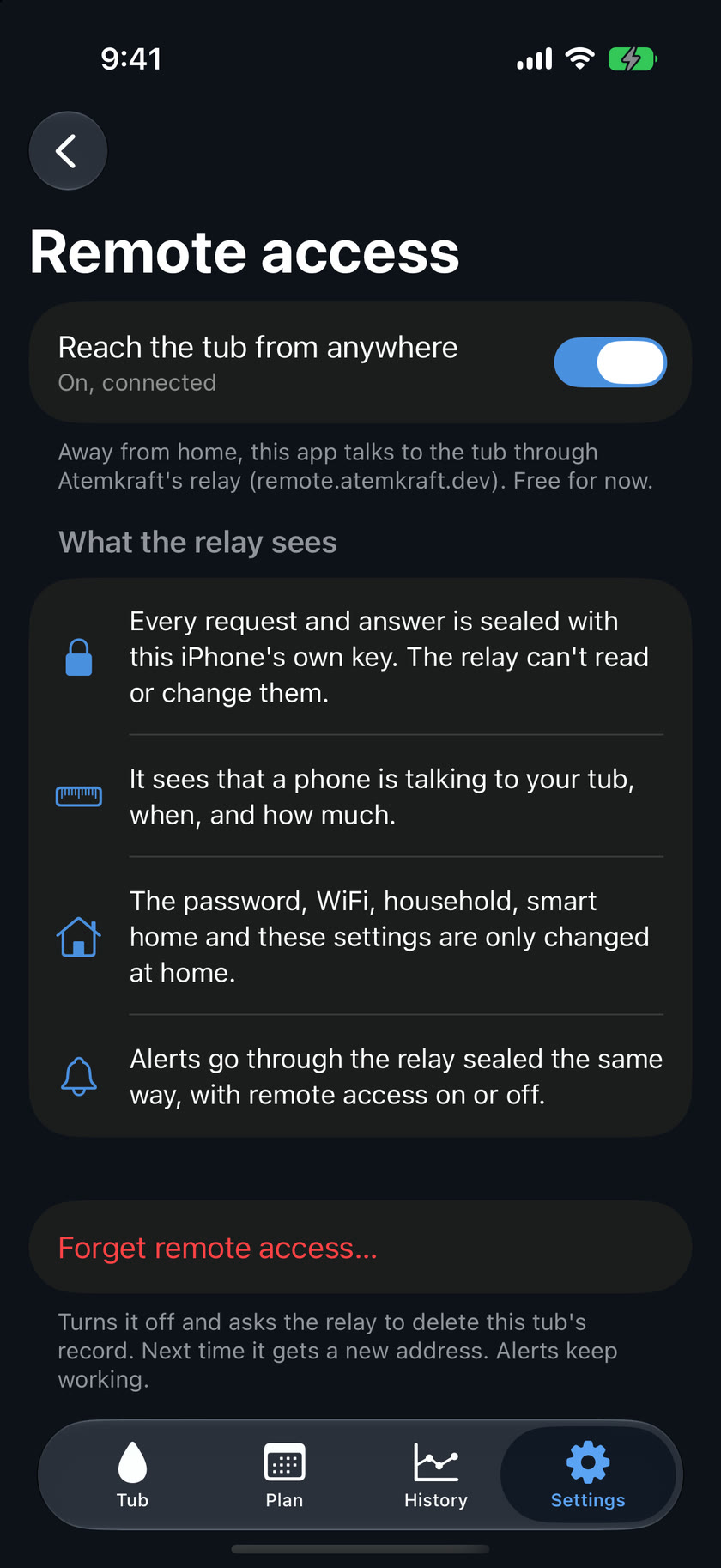
The owner turns on remote access at home, in Settings › Remote access. From then on every phone in the household reaches the tub from anywhere, in the same app. Free for now.
Encrypted end to end. Every request and answer is sealed with that iPhone's own key. Atemkraft's relay carries them but can't read or change them; it sees only that a phone is talking to your tub, when, and how much.
Away from home a phone can run the tub and its plan. The password, WiFi, household, smart home and remote access itself can only be changed at home.
Nothing is opened on your router: Kraftspa only connects out. If the relay is unavailable, only remote access and alerts stop; the panel, the plan, Apple Home and the app at home carry on. Forget remote access asks the relay to delete your tub's record.
Hardware
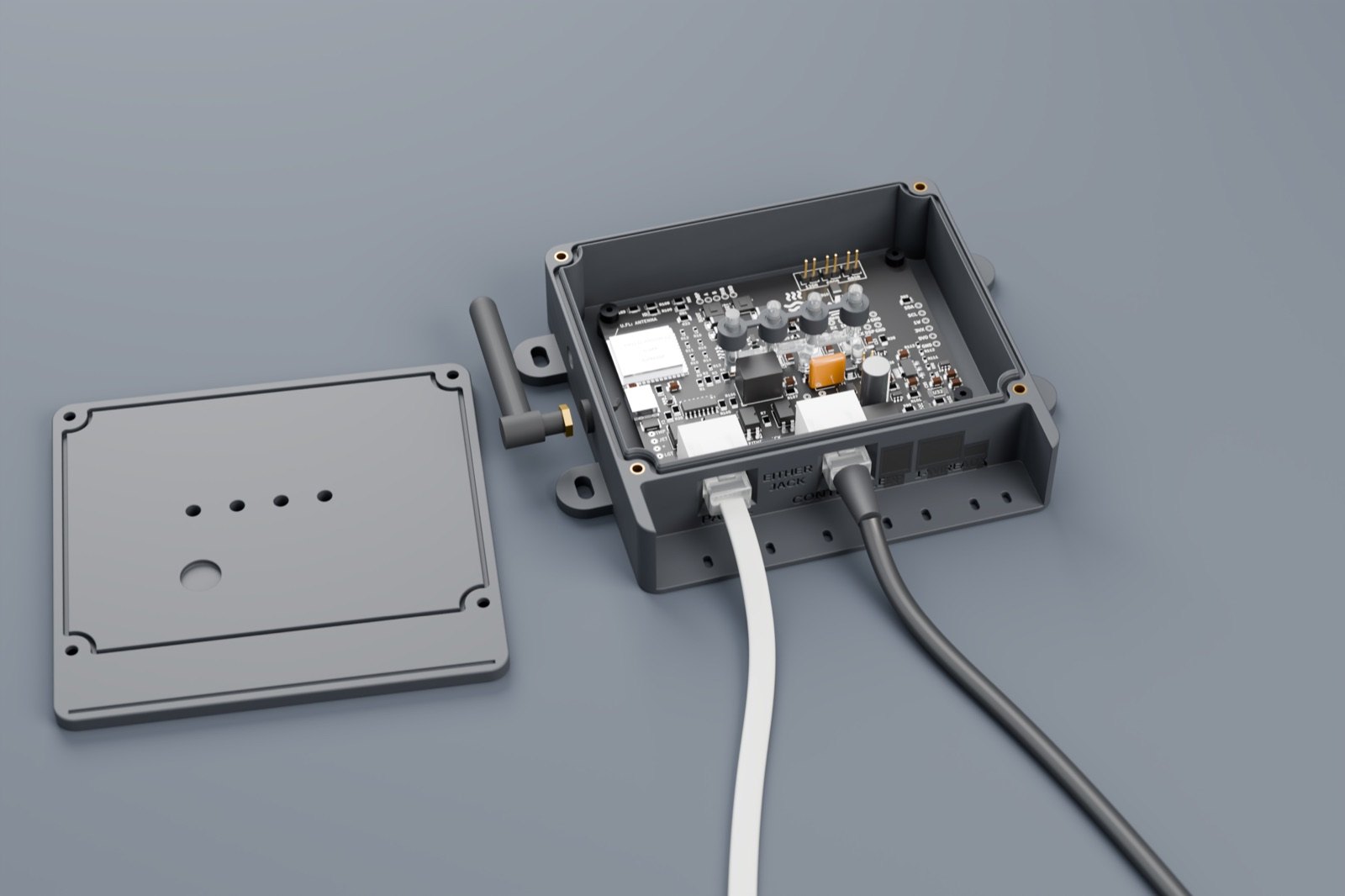
A supplied external WiFi antenna screws onto the box, so Kraftspa keeps a good connection even when the tub is some way from the router.
Four status lights for power, WiFi, the spa link and the spa shine through sealed clear windows in the lid, so you can check Kraftspa at a glance with nothing to open and no holes in the lid.
The cables plug straight into sockets in the bottom wall, from outside, so the lid never comes off to connect them. A TPU face gasket seals the wall and dust plugs close the sockets you don't use. The sockets sit in a porch set into the box: its lid and walls run on around them, open only at the bottom, with a drip groove under the lid, so no separate hood is needed. Mounted connectors-down, with a gasketed lid on brass threaded inserts, the enclosure sheds water rather than collecting it.
Installation is plug-in: the panel's existing cable connects to Kraftspa, and a short patch cable connects Kraftspa to the controller.
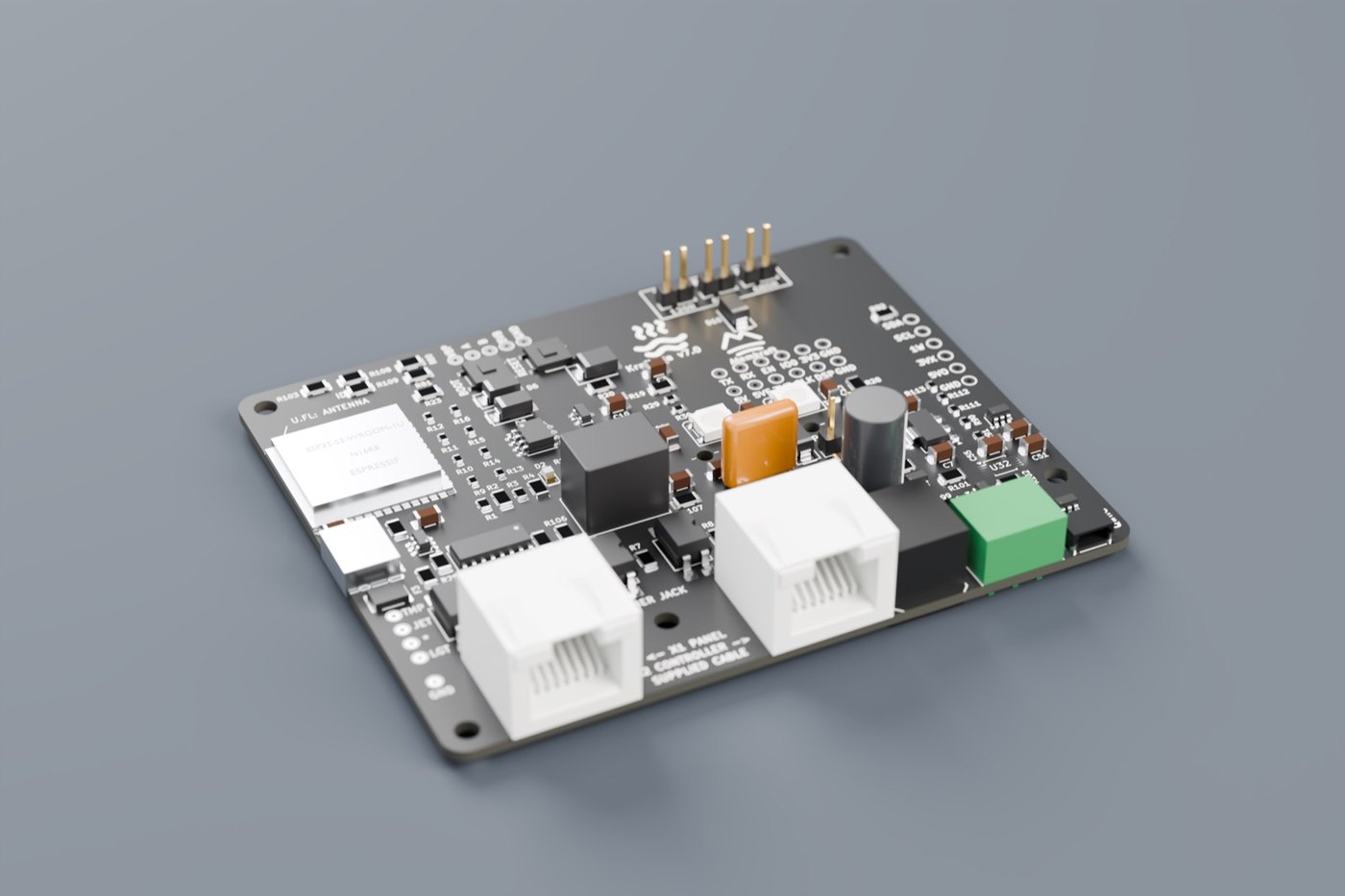
All eight panel wires pass straight through, so the panel works normally even if Kraftspa is unpowered. Button lines are optically isolated and default to off, so a restart can never leave a button held.
Power comes from the spa's own low-voltage supply through a fuse, reverse-polarity protection and soft-start, with reserve capacity to ride through pump start-up. Settings, the plan and energy history are stored in non-volatile memory.
Product renders. Final production units may differ in appearance.
In use
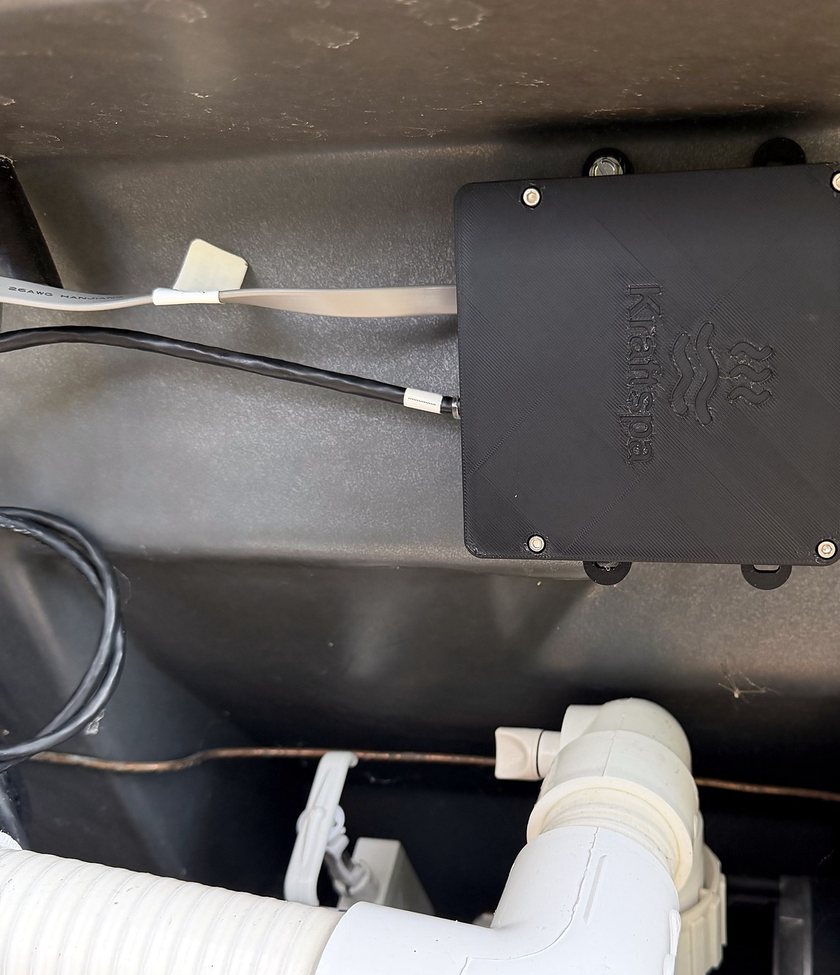
Our prototype runs a Balboa VS612 tub every day, on the same firmware as the production unit.
What it taught us about the panel bus, the button lines and the power supply went into the production board.
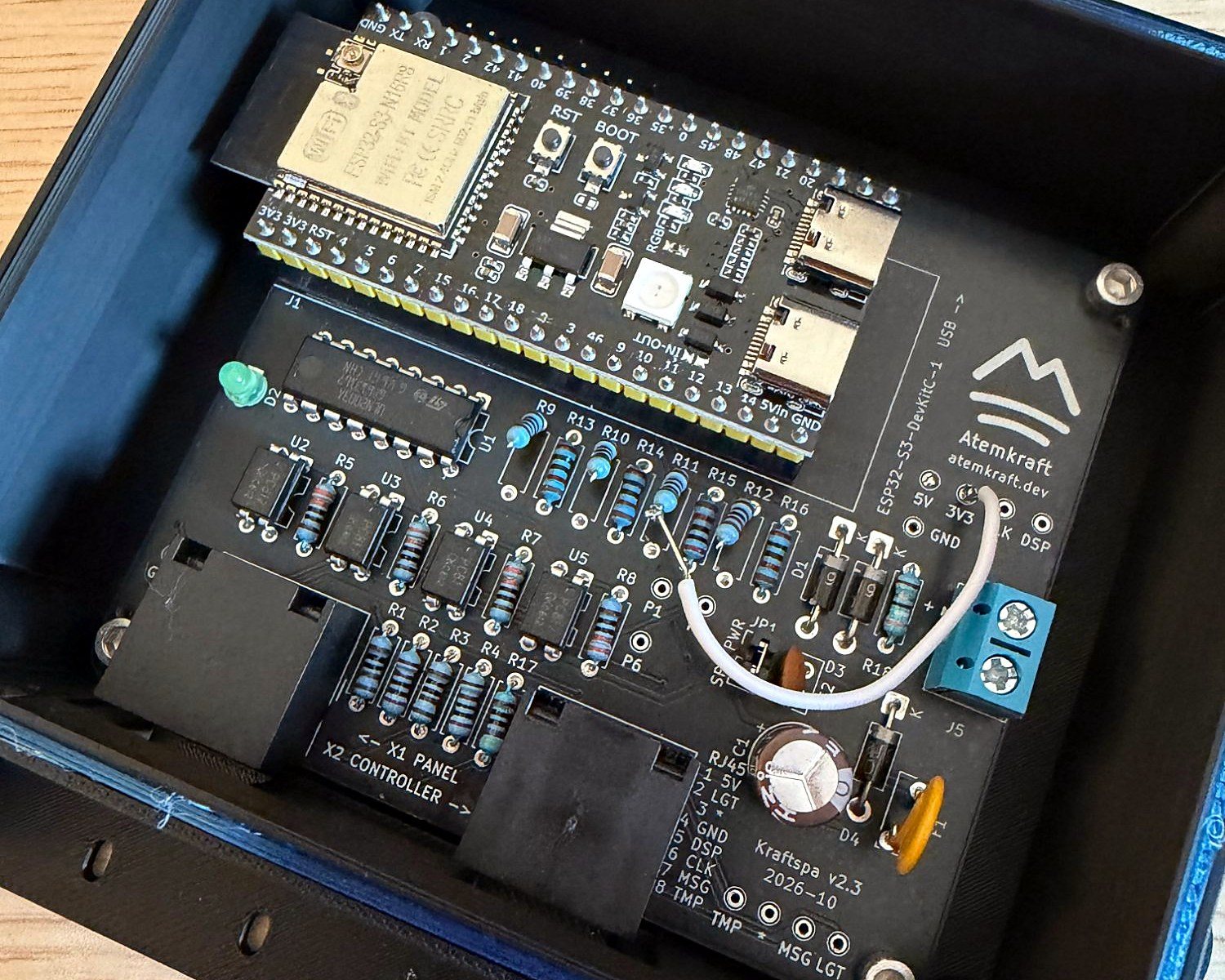
The prototype uses a plug-in ESP32-S3 development board. The production board has the module soldered on, an external antenna, the BP port and the status lights.
Photos of the prototype. Production units use the board and enclosure shown above.
Compatibility
Balboa controllers talk to their topside panel in one of two ways. Kraftspa supports both from a single unit and detects which one it is connected to at start-up.
| Balboa system | Connection | Capabilities | Status |
|---|---|---|---|
| VS seriese.g. VS500Z, VS612 with VL-series panels such as the VL406T | Inline on the panel's RJ45 cable | Temperature, jets, light and light colour, standby, display mirror and error reporting | Supported |
| GS series and other VL panelse.g. GS510SZ with VL700S | Inline on the panel's RJ45 cable | As VS series, once the panel's layout is confirmed | Contact us |
| BP seriesBP501, BP601, BP2000/2100 and OEM builds such as Master Spas MS50U, with TP-series panels | Kraftspa's BP port to the controller's spare panel / WiFi port. The panel stays connected | Temperature, each pump, light, rest mode and temperature range, read back from the controller | In testing |
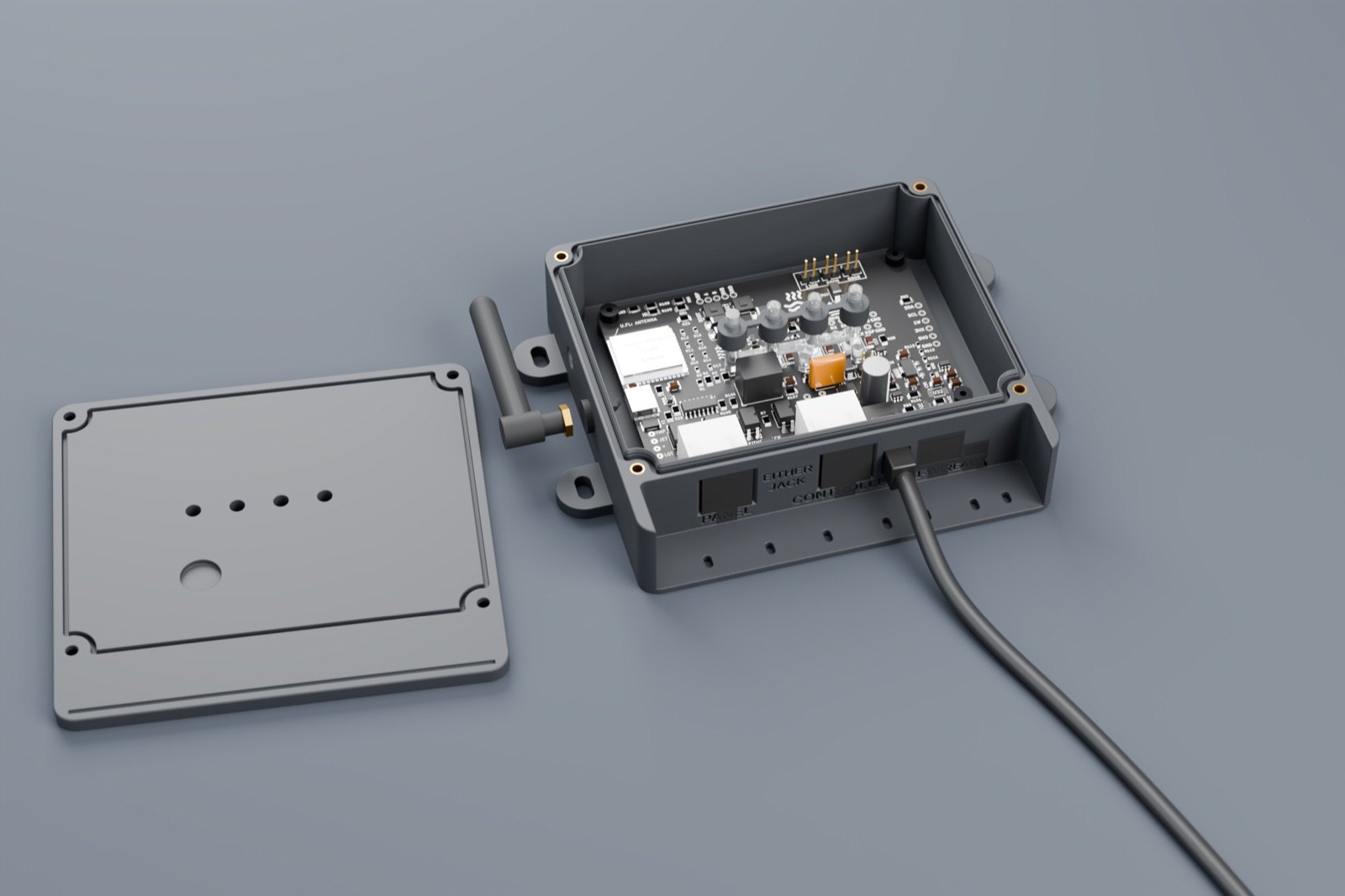
Kraftspa connects to a BP controller's spare panel port with a single 4-pin cable, and the topside panel stays connected to the pack as before.
Dust plugs close the unused sockets, so the box stays sealed either way.
Integrations
Pairs with Apple Home from the app, with no bridge or hub: tap Add to Apple Home. The tub appears as a heater (off is standby), with the jets and the light, for scenes and automations. It isn't certified, so Apple Home asks you to confirm when you add it.
Pairs with Home Assistant using the pairing code in the app's Settings, on your home network. Google Home and Alexa can reach it through Home Assistant.
Optional MQTT connects the tub to your own broker for Node-RED and others. API tokens let a script, dashboard or AI agent read the tub, or run it too, over a documented local HTTP interface. Revoke a token any time.
Specifications
Questions
Support
Email info@atemkraft.dev with the four characters on the controller's label and roughly when the problem happened. A person reads every message. The full manual is in the app, under Settings › Manual.