

Home control for the whole house
The lights, heating, solar, car charger, hot tub, speakers, cameras and appliances in one app for iPhone, iPad and Mac, with the parcels and trips on their way. A small hub at home does the work and keeps the history, and your devices stay in Apple Home, Google and Alexa as they are.
iPhone · iPad · Mac
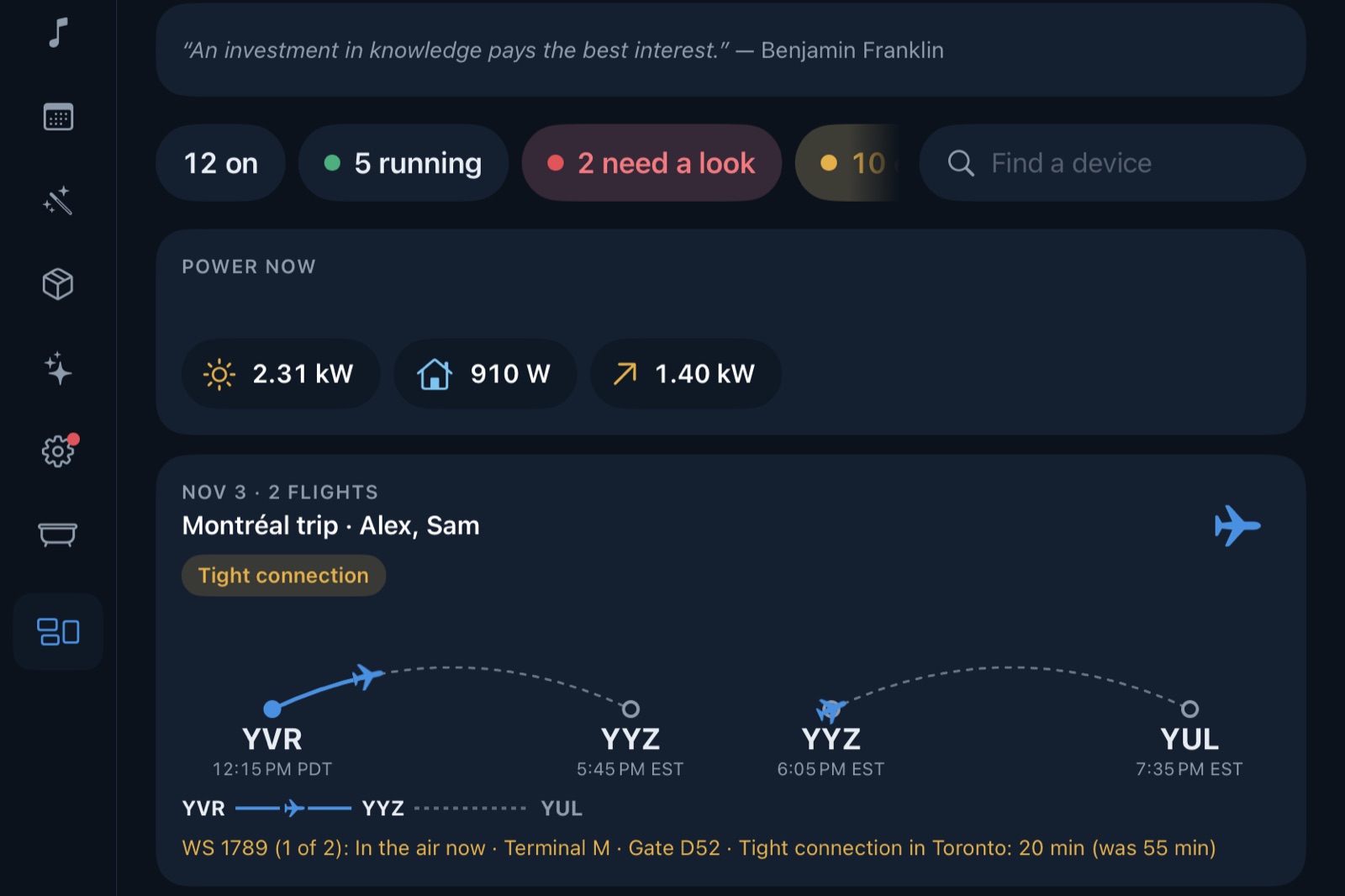
Every device in one place, whatever made it: lights and plugs, thermostats, the solar panels and the meter, the car and its charger, the hot tub, Sonos and Google speakers, cameras, the robot vacuum, the 3D printer and the washer. Each shows the controls it has, so a new kind of device needs no new screen.
A Raspberry Pi in the house keeps the history, runs the scenes and automations and talks to each device. The apps only show what it says and send what you tap, so every screen agrees, and the house keeps running when the internet doesn't.
Devices stay where they are. Krafthome joins them alongside Apple Home, Google and Alexa, through the maker's own service or the device itself on your network, so the voice assistants and the apps you already use carry on.
Features
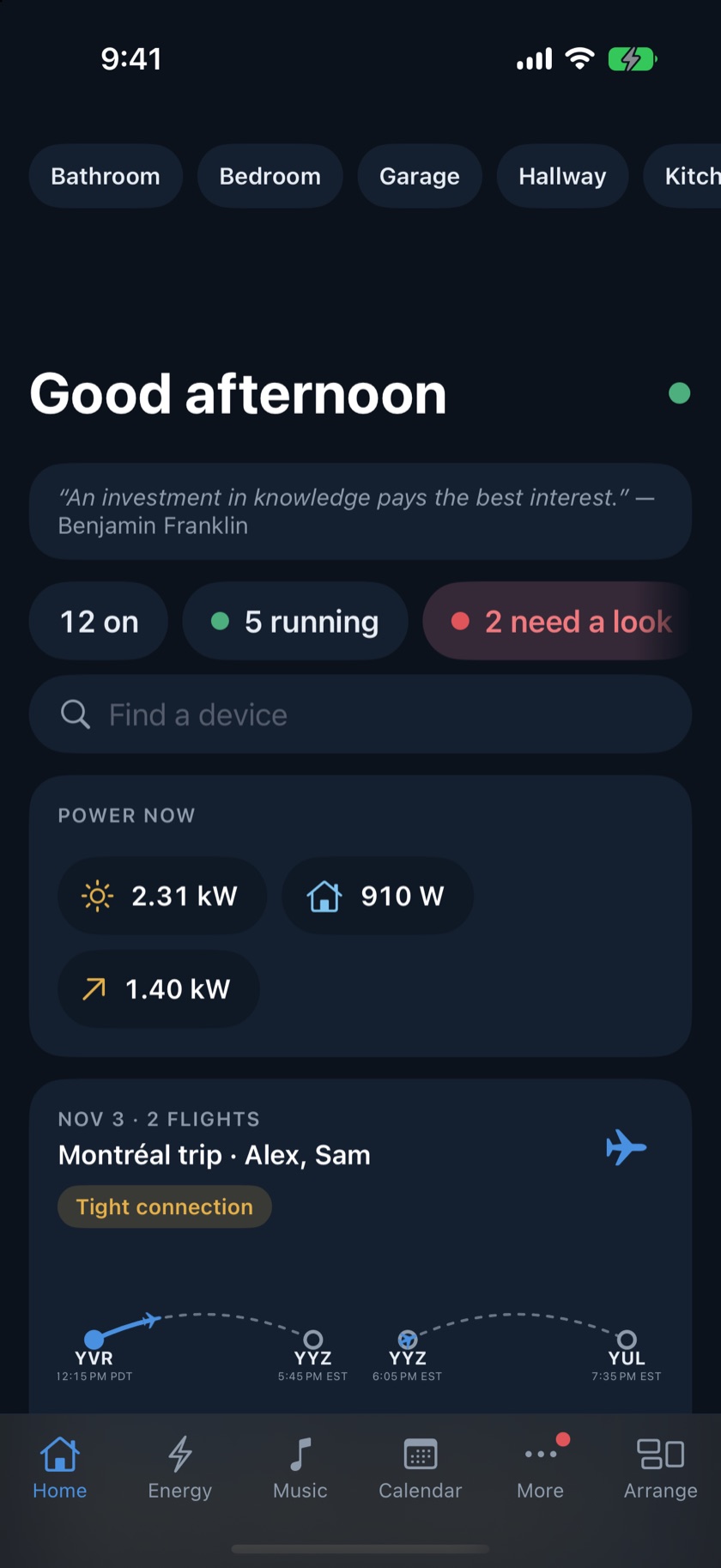
Home opens on what matters now: what is on, what is running, what needs a look, the power the house is making and using, the weather, today's calendar, parcels coming and a trip under way. Rooms follow below, every device with its own tile.
Drag tiles where you want them, size them, fold a room away or give a device a photo. Each person can have their own Home, and the screen on the kitchen wall can have its own too.
What the house used and what it cost, by the hour, on your own rate plan: time-of-use, tiers, daily charges and what solar sent out. What used it, from the hot tub to the car, and each solar panel's day.
Shipping emails become parcels with where each one is and when it comes, checked with the carrier. Flights in your calendar and airline emails become trips, followed through the day: times, gate, connections, the plane on its way and the carousel your bags come out on.
Each person plays from their own Spotify on the house's speakers, with Sonos rooms grouped as you like. Podcasts play on them too.
A scene sets many devices at once, from a tile, a schedule or a change in the house. Automations run on the hub, so they keep their time whether or not a phone is around.
A parcel out for delivery, the washer done, the car charged, a camera seeing someone, a device that stopped working. Each person picks the kinds they want and their own quiet hours.
Turn it on and Claude reads the house each morning and writes a short briefing, suggests ways to save with the numbers behind them, and answers questions about the house. It can only suggest: nothing changes until you tap.
Everyone at home
Each phone is its person's. A shared screen shows a row of faces: tap yours for your Home, your music and your alerts, and it goes back to the household after a few idle minutes. Settings and anything private need your PIN.
Parcels and calendar events from each person's account are shared with the house and labelled with whose they are. Any of them, or a whole calendar, can be kept to yourself, and the hub keeps it from everyone else.
Lock a screen to the basics for a sitter, a guest or the kids: lights, scenes, the thermostat and music, and nothing else. Only an adult's PIN ends it, and the hub holds to it whatever the screen does.
Away from home
Turn on remote access and add each device at home. The app then reaches the hub from anywhere through Atemkraft's relay, the one Kraftspa uses, encrypted end to end: each device has its own key, made by the hub and never seen by the relay, which carries requests it can't read or change.
Nothing is opened on your router: the hub only connects out. If the relay is unavailable, only remote access stops; the house, its automations and the apps at home carry on.
Specifications
Questions